Household money should be shared. Personal details should not.
Bring contributions, spending, budgets, goals, and the documents your family may urgently need into one workspace — while keeping personal finances private and sharing only what you choose.

Give the household its own money picture
See what came in, what went out, and what remains for the month.
Invite family members and record household contributions and expenses together. Plan how costs are shared without turning every decision into a debt between members.
- Monthly household cash flow
- Equal, percentage, or custom expense allocations
- Family records stay separate from personal balances
Work toward the same goals
Make space for everyday bills and the things you are building together.
Set household category budgets, propose shared goals, and contribute to approved goals. Bring selected account balances into the family picture when you choose.
- Shared budgets and savings goals
- Goal contribution history
- An explicitly shared view of household wealth
A Safe for the papers that matter
When a hospital asks for the policy number, nobody should have to search WhatsApp.
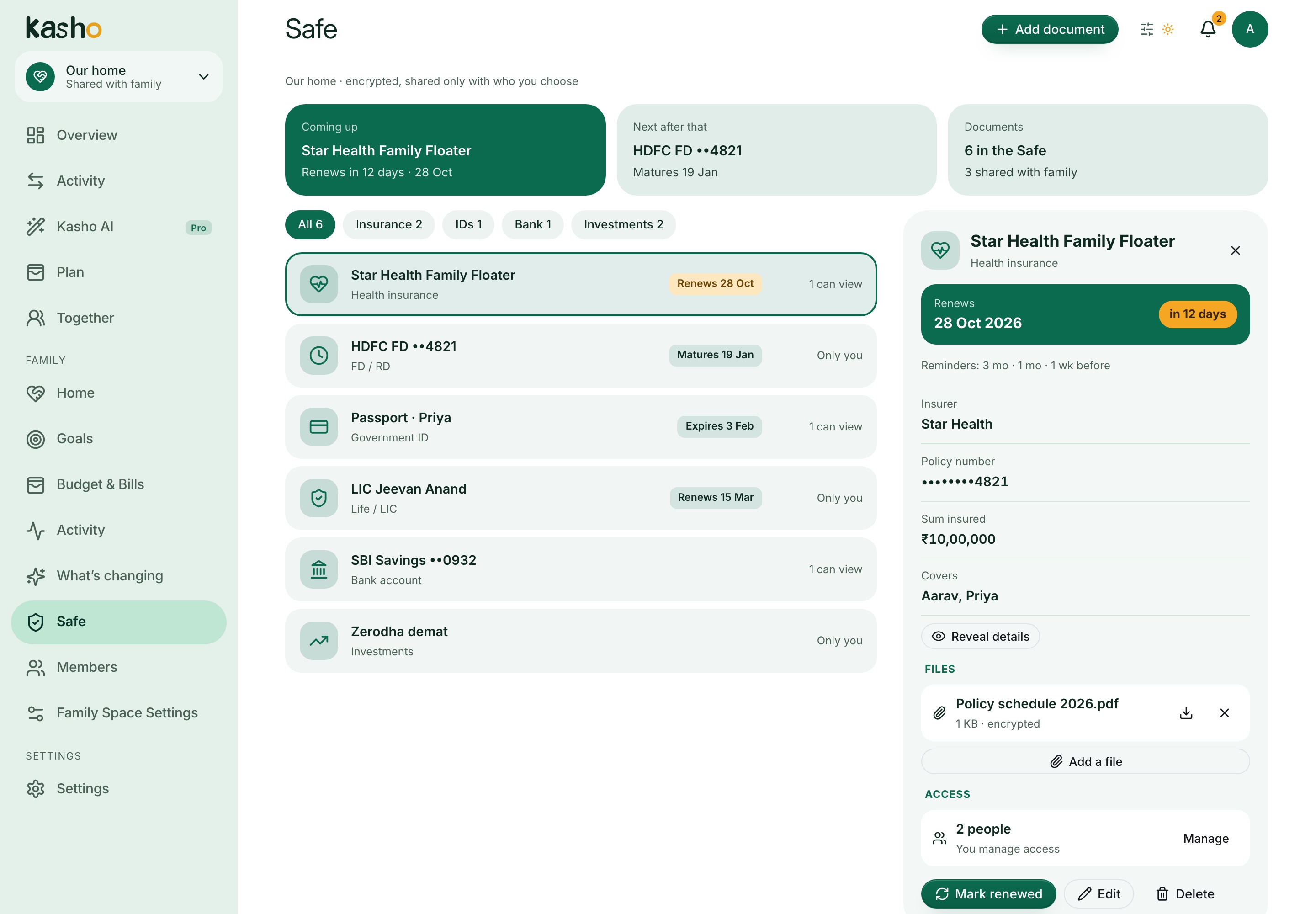
Keep health and life insurance, IDs, bank accounts, investments, and fixed deposits in the family Safe. Anyone in the family can add a document, and the person who added it decides who else can open it — nothing is visible to the rest of the family until you share it.
- Private by default; choose None, View, or Manage for each family member
- Policy and account numbers are encrypted before they are stored and masked until you reveal them
- Attach PDFs or photos of the originals, up to 10 MB each
- Kasho records when a document is opened or revealed
Renewals that do not lapse quietly
Set the date once and Kasho reminds the people who can see the document.
Give a policy a renewal date, an ID an expiry date, or a fixed deposit a maturity date, then choose when to be reminded: from one day to three months ahead. Reminders appear on the family home screen and arrive as notifications, so a lapsed health policy or an expiring passport is not a surprise. Mark a document renewed and the next cycle is set up for you.
- Renewal, expiry, and maturity dates with yearly repeat
- Reminders 1 day, 1 week, 2 weeks, 1 month, or 3 months before
- Upcoming dates on the family home screen
- Notifications show the document name and date, never policy numbers or amounts
Together does not mean everything
Choose private records, aggregate personal spending, or shared household details.
Private entries stay out of household totals. Aggregate personal spending can show a monthly total without individual entries. Sharing an account balance exposes only its chosen label, type, and balance — not its transaction history — and you can revoke that.
- Private by default
- Explicit, revocable account-balance sharing
- Owner and member permissions